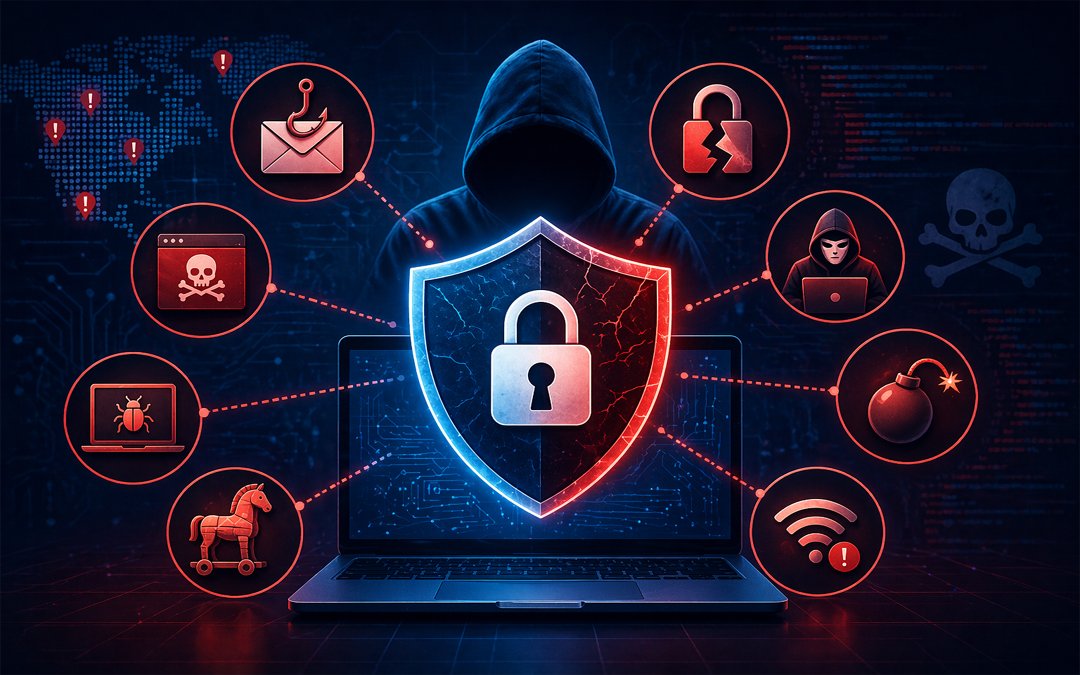
Cybersecurity Threats : Definition, Types & Examples Explained

Cybersecurity dangers in a digitally-first world have become one of the largest threats to businesses, governments, and individuals. Whether it’s a data breach, ransomware, or any other type of threat, these types are continuously evolving, and therefore, it is important to know what it is, how it functions, and how it affects your online space.

The blog will dissect the definition of cybersecurity threats, their key types, and contain some examples of real-life cases to keep you informed and prepared.

What Are Cybersecurity Threats?

93401

The notion of cybersecurity threats may be defined as any malicious action aimed at accessing, damaging, disrupting, or stealing data, systems, or digital infrastructure. These attacks may be initiated by hackers, cyber criminal gangs, insiders, or even human bots. They mainly seek to take advantage of network vulnerabilities, software weaknesses, or human factors.

Cyber threats may be directed at anything that is related to the internet: computers, mobile devices, servers, and cloud systems. Increasingly, organizations are becoming dependent on digital tools, and the attack surface is growing faster, so cybersecurity is more of a priority than ever.

Why Are The Threats Of Cybersecurity Getting Bigger?

The increase of cybersecurity threats is motivated by multiple critical aspects:

  1. Digital Transformation: Some of the businesses are changing to online platforms and cloud-based systems.
  2. Remote Work: More personal devices and unsecured networks.
  3. Advanced Attack Techniques: Hackers can now employ AI and automation to roll out highly technological attacks.
  4. Big Data Value: Data on the dark web, such as personal records and finances, is very lucrative.

Examples Of Cybersecurity Threats (Types)

The initial step to cybersecurity protection is to understand the various types of threats. The most typical, along with real-world examples, are listed below.

1. Malware Attacks

Definition:

The malicious software (malware) is comprised of viruses, worms, spyware, and trojans, which are aimed at damaging or abusing systems.

Example:

On the user side, he or she downloads the file containing a Trojan, which is a piece of free software. It is installed and then silently steals and transmits the login credentials to hackers.

2. Phishing Attacks

Definition:

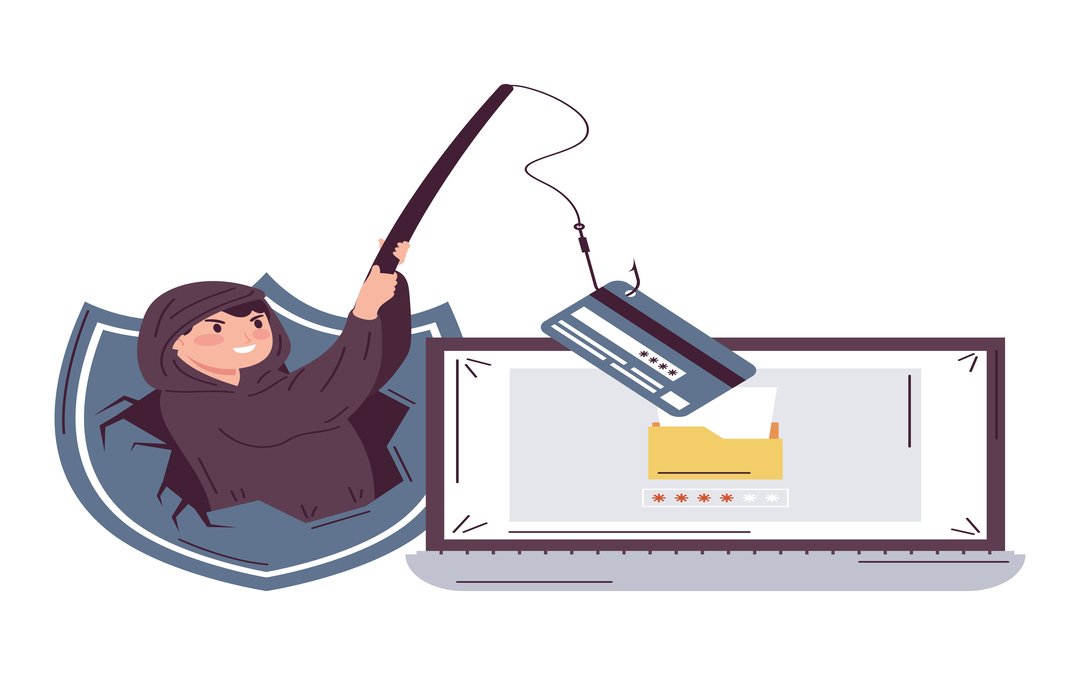
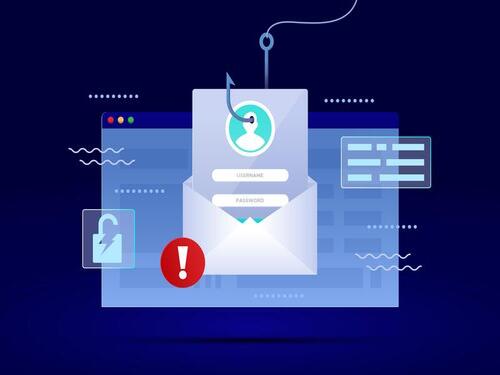
Phishing is an email, message, or web-based fraud where an attacker aims to deceive users into disclosing their sensitive information.

Example:

A worker gets an email that looks like it is devised by his or her bank requesting the worker to authenticate his or her account. The connection to a bogus site steals their login information.

3. Ransomware

Definition:

Ransomware is a form of malware that encrypts a victim’s data and requires a payment to release it.

Example:

When an employee clicks a bad link, a company is locked with all of its data. The attacker requires an amount of cryptocurrency to reconnect.

4. Denial-Of-Service (Dos) Attacks

Definition:

DoS attacks overload a system, server, or network by sending excessive traffic, which results in crashing or unavailability.

Example:

A malicious source of traffic is suddenly and abruptly increased to such a degree that an e-commerce site blocks real customers from accessing it during a sale.

5. Man-In-The-Middle (Mitm) Attacks

Definition:

MitM attacks involve the interception of communication between two parties that the attackers use to steal or alter data.

Example:

A hacker monitors data passed through any public Wi-Fi network and intercepts some of the sensitive data, such as passwords or credit card details.

6. Insider Threats

Definition:

These threats originate within an organization, either by employees or by people hired by the organization as contractors, who abuse access privileges.

Example:

An employee who is dissatisfied is downloading company information and sending it to rivals.

7. SQL Injection Attacks

Definition:

SQL injection entails the injection of malicious code into a database query in order to access the database unauthorizedly.

Example:

A site with a weak security system will enable an attacker to“inject SQL code into a session of a login page and then extract user data from a database.

8. Zero Day Exploits

Definition:

Zero-day attacks exploit unknown vulnerabilities in software prior to them being fixed.

Example:

A hacker identifies a vulnerability in one of the widely used software applications and takes advantage of it before the organisation is in a position to restrict it with a security patch.

Ways To Safeguard Against Cybersecurity Threats

Although cyber threats cannot be eradicated, they can be reduced to a minimum through proper strategies:

  • Use passwords that are tough, and multi-factor authentication must be set.
  • Maintain software and systems.
  • Educate staff on phishing and suspicious activities.
  • Put up antivirus software and firewalls.
  • Periodically save important information.
  • Keep watch over the suspicious behavior.

Pexo IT Consulting: Advanced Cybersecurity for Modern Businesses

Some of the solutions that can be provided by Pexo are advanced threat detection, vulnerability assessments, and end-to-end cybersecurity solutions, based on your business requirements. Whether dealing with cloud infrastructure or when dealing with sensitive data, expert help can be the difference between developing a strong defense.

Conclusion

Cybersecurity risks are an inevitable aspect of the online world, yet knowing the types of them and real-life examples might allow you to stay a step ahead. Malware and phishing, insider threats, and zero-day attacks are just a few of the threats that need to be addressed through awareness and proactive actions.

Businesses and individuals can save, invest in, and utilize the solutions of cybersecurity experts, protect this data, and keep trust and make them safe in the digital space in the long term.
Cloud Security : Definition, Examples, and the Four Key Types

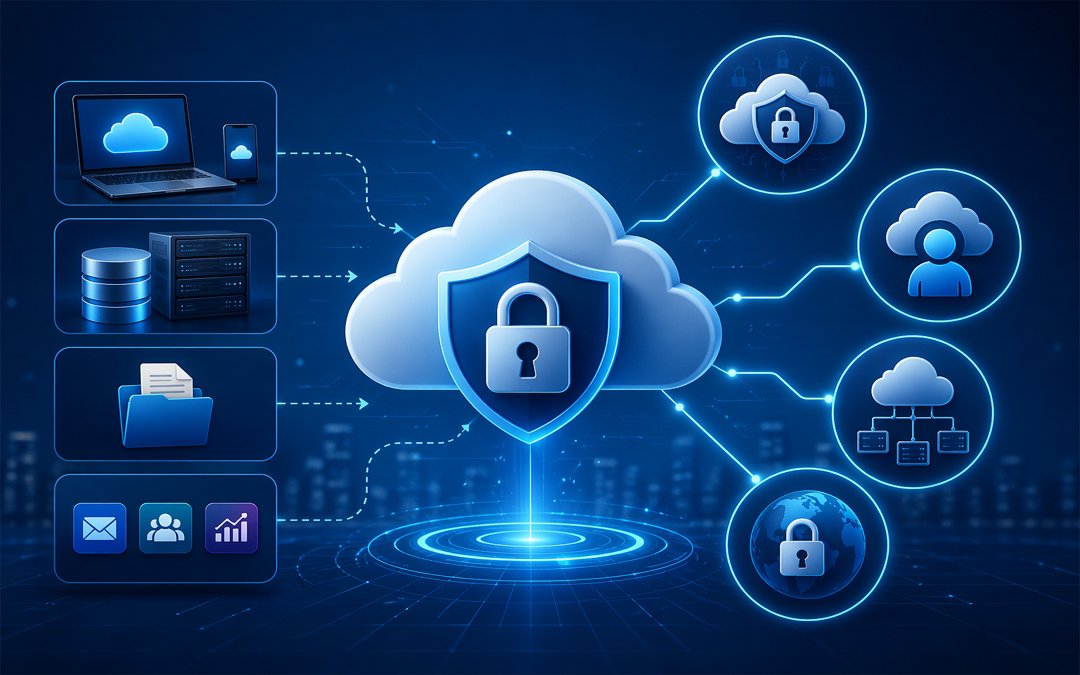
Cloud security is a term that is used to describe the policies, controls, technologies and best practices that are followed in the process of protecting cloud-based data, applications, systems, and infrastructure. Simply put, it enables business organisations to protect their cloud against unauthorised access, leaked information, malware, misconfigurations and service failures. Cloud computing refers to the on-demand nature of the networked shared computing resources in the form of servers, storage, networks, and applications available on the internet.

The shared responsibility model varies from cloud security to traditional IT security. When identities, workloads, access, and data are brought into play, the underlying infrastructure is usually secured by the provider, and the customer is likely to secure data, identities, workloads, and access as per whether they are using SaaS, PaaS or IaaS. It means that even a strong cloud platform can not become a sufficient requirement; even the control of access of users or an improperly developed storage bucket can become a serious risk.

The Importance Of Cloud Security

Cloud Transformation

The cloud offers various solutions to businesses, including speed, flexibility, remote access, and scalability, among others. The advantages, however, augment the attack surface. A loose cloud service could divulge information on customers, financial details, intellectual property or company-level computers. This tendency of focusing on secure cloud configurations, safeguarding of identity, as well as enhanced baseline control continues to exist in the recent government directions, following the growing use of cloud and sophisticated threats.

Cloud security examples

There is no single tool for cloud security. It is a stratified solution. The following are some of the practical ones.

  • All accounts of the admins should be enabled by developing multi-factor authentication.
  • Encryption of data at the stream and rest.
  • Role-based restrictions on access.
  • Tracking the activity of problematic log-in attempts or something awry
  • Supporting workloads on clouds and rehearsing response strategies.
  • Scanning cloud environments (determination of misconfigurations and compliance losses).

These controls are generally considered to be fundamental components of a secure cloud environment due to identity, visibility, and configuration management being some of the weakest aspects.

The Four Key Types Of Cloud Security

1. Identity and Access Management (IAM).

IAM manages the access control in a cloud platform. It comprises user authentication, role-based access, privileged account control, and multi-factor authentication. It is among the most critical kinds of cloud security due to the ease of accessing cloud systems through compromised credentials. A company ought to ensure that the employees, vendors, and administrators’ access is restricted to the bare minimum they require.

2. Data Security

Data security is concerned with the protection of sensitive data stored, processed, or transferred in the cloud. These include encryption and tokenisation, a data loss prevention policy, a backup policy and data retention controls. Whether a company has stored the records of a customer, contract or a report of the company in the cloud or whether the company has not, the goal is always to not be exposed, stolen, accidentally deleted or non-compliant.

3. Workload/network Security.

Such protection includes cloud applications, virtual machines, containers, API, and inter-system traffic. It covers firewalls, micro segmentation, secure configuration, patch, vulnerability scan, and runtime threat detection. This is what, in a real-world scenario, can not allow lateral mobility of attackers in a cloud infrastructure after they have gained access to the system.

4. Security Posture, Security Surveillance and Compliance.

Well-configured, good cloud tools may not perform well in an environment. The round-the-clock monitoring and log analysis, threat detection, posture management, and compliance tracking are the basis of such cloud security. It helps the companies define the areas of risk, determine the anomalies of operations early, and adjust the internal policies to the external laws. This has been of special interest with the high number of organisations migrating to a variety of cloud services and mixed deployments.

Common Cloud Security Risks

Among the most prevalent cloud security concerns are disabling misconfigurations, weak usernames and passwords, granting unwarranted access, and a lack of visibility, as well as obsolete access controls. Not all cloud incidents occur due to the breakdown of the cloud. They occur due to the fact that security settings were not fully developed, their understanding was not fully developed, or they were not reviewed after implementation. This is the reason why cloud security needs to be a continuous business process rather than a one-time operation.

Selecting the appropriate implementation partner can turn out to be a significant difference in businesses that are intending to adopt cloud or modernise. Cloud transformation services at Pexo IT Consulting help businesses migrate to the cloud in a secure, scalable, and performance-driven manner. In planning migration paths to creating more resilient cloud environments, the service is primed to help transformation journeys safer and more seamless.

Final Thoughts

There is more to cloud security than purchasing a security tool. It deals with safeguarding identities, data protection, workload lockdown, and environmental surveillance. Once organisations are aware of the four fundamental categories of cloud security and put them into practice routinely, they will be much better-placed to minimise risk, safeguard business, and develop confidence in the cloud.

IT Infrastructure Management : Benefits and Examples

The digital world, digital-first world, requires stable and reliable IT systems to make the companies efficient. All these aspects are significant to the smooth running since the network connectivity initiates data storage. It is in this area that IT infrastructure management would be needed. It assists organisations to maintain, monitor, and optimize their IT environment to facilitate expansion, security, and performance.

What is IT Infrastructure Management?

126304 1

IT infrastructure management is the use and control of essential IT equipment, such as servers, networks, storage, and cloud services. It helps see that the entire system is operating correctly, is kept in a secure condition, and is performing at a standard level.

Core Components of IT Infrastructure Management

1. Server and Storage Management

It covers the aspects of installing, managing, and enhancing the performance of servers and storage units. These are the foundational tools for businesses in handling and storing their data.

Example:

When a firm opts for virtual servers, it benefits from high availability, as this results in load balancing across different machines, reducing system downtime.

2. Management of Network infrastructure.

This is all concerning designing, launching, and operating secure networking equipment in facilitating easy and secure communication between a number of systems.

Example:

To guarantee successful high-speed networking across all locations of the stores, the retail chain has customized its new branch offices with the new versions of firewalls and routers to ensure that the network is safe.

3. Cloud Infrastructure Management.

There is an emerging trend that is viewing the cloud as a platform to operate business processes, cases such as Azure cloud or Google cloud are being brought into the limelight, and therefore, the management of these cloud operations is now of vital concern.

Example:

One of the startups has fully transitioned to cloud operation mode, and as a result, its employees can remotely access systems, and the company can cut its spending on hardware.

4. Data Systems: Data Backup and Data Protection.

This activity is aimed at securing business data and being able to recover it anytime and preventing it from different cyber threats.

Example:

A financial company has the use of an automated backup infrastructure in which it could restore its information within a few seconds of a system hit or a cyberattack.

5. Watching and managing Performance.

By doing constant monitoring, flaws will be detected, and the most effective solutions can be formulated to have the best system performance.

Example:

The AI-based monitoring tools will alert IT staff members about their unrecognized operations or their performance decline to ensure that they take proactive measures to avert the development of significant issues.

Key Benefits of IT Infrastructure Management

1. Server and Storage Management.

These refer to setting up the servers and storage hardware, managing them, and making them efficient. Businesses leverage these systems to handle and store their data.

Example:

By building and deploying virtual servers, a company can have high availability, as the load sharing between servers drastically reduces system downtime.

2. Network Infrastructure Management.

Network infrastructure management mainly involves the design, installation, and maintenance of network security and communication controls, which support the easy transfer of information between systems.

Example:

When the retail chain’s branches are connected, they employ firewalls and secure routers to guarantee security and high speed.

3. Cloud Infrastructure Management.

Business management of cloud infrastructure is an essential part as more and more businesses migrate their operations to cloud environments such as Azure or Google Cloud.

Example:

The startup relocates its operations to the cloud so that its staff can access the systems from anywhere, and at the same time, the company will save on the cost of hardware.

4. FP Systems and Data Protection.

The purpose of this is to guarantee the security of business data, making sure that information is recoverable, and avoiding cyber threats.

Example:

By leveraging automated backup solutions, a bank can be very confident in getting back its real-time data in case the system crashes or it experiences a cyberattack.

Real-World Examples of IT Infrastructure Management

Example 1: E-Commerce Platform

The online store uses cloud infrastructure and load balancing to handle heavy traffic during sale periods. This would make the site responsive and fast, even in high seasons.

Example 2: Healthcare Industry

The secure IT infrastructure in hospitals helps manage patient records, ensuring data privacy and regulatory compliance.

Example 3: Financial Services

Banks have implemented robust security measures, such as backups and safeguards for customer information, to maintain uninterrupted service.

Example 4: Manufacturing Industry

The network infrastructure and IoT systems deployed in factories enable real-time tracking of production processes, increasing efficiency and reducing downtime.


Infrastructure Management Workflow

The performance and security are consistently ensured by a structured workflow. The general procedure consists of:

  • Documenting all IT assets
  • Identifying security gaps
  • Adoption of protection strategies.
  • Surveillance systems are in place
  • Performance optimisation on a regular basis.

This cyclical process will ensure a stable and secure IT environment.

Conclusion

The current running of the business depends on the IT infrastructure management. Whether the focus is on ensuring system performance or safeguarding data and thus scaling, it is a significant ingredient in the organisation’s success. With established management guidelines and professional assistance, companies can create a safe, productive, and technology-oriented IT infrastructure

What is Phishing? Definition, Types of Phishing, & Examples

Nowadays, cyber threats are gaining sophistication, and phishing is one of the most frequent and dangerous ones. Phishing is critical to the security of sensitive data, whether you are an individual or a business, and losing money. In this blog, you can find the definition of phishing and the forms of phishing, along with a real-life example, to be able to protect yourself on the Internet.

What is Phishing?

8088576 3825943 1 1

Phishing is a form of cybercrime, which involves criminals pretending to be an authorized figure like a bank, organization, or a work associate in order to swindle people into disclosure of personal details such as passwords, credit cards or login codes.

In most cases, phishing scams are conducted using e-mails, text messages, over the phone or by fraudulent websites. It aims at alleviating the psychology of people and not taking advantage of the technical flaws.

How Phishing Works

The phishing attacks typically take a pattern:

  1. Impersonation- The attacker poses himself as a trusted source (bank, company, or colleague).
  2. Urgency or Fear The message causes a panic (e.g. your account will be blocked ).
  3. Action Request – The victim is requested to link up, download an alternate file or furnish details.
  4. Data Theft- Sensitive data is tapped and used to commit fraud or identity theft.

Types of Phishing

Phishing manifests itself in different ways. The most frequently used would be the following:

1. Email Phishing

It is the most popular one. The attackers use deceptive emails that might seem to be sent by genuine organizations.

Example:

You receive an email that manages to appear to be written by your bank, asking you to check your account by clicking on a link. The connection gives you a malicious website that steals your login information.

2. Spear Phishing

An attack is characterized by a particular person or organization that reaches out to individuals with specific details.

Example:

One of the employees gets an email message issued by a person who pretends to be the manager and is asking for confidential company information.

3. Vishing (Voice Phishing)

Phishing via phone calls.

Example:

A scammer makes calls under the pretence that he is calling your bank, asking you to provide your OTP or account details.

4. Smishing (SMS Phishing)

Text messages convey phishing attacks.

Example:

There is a message that informs you that your package is delayed and you can track it by clicking here, but it directs you to a fake site that captures your details.

5. Clone Phishing

The attackers replicate an authorized email and redirect links or attachments to malicious ones.

Example:

You get an email copy of an actual invoice, and the link to the payment is a fraudulent site.

6. Pharming

Routes users to counterfeit websites without the user’s knowledge.

Example:

When you type the URL of your bank, you are redirected into another duplicate site which aims at stealing your information.

7. Social Media (Angler) Phishing.

Hackers make an additional fake social media user account or post to deceive users.

Example:

A scam customer support page requests that you provide login information to troubleshoot a problem.

8. Pop-Up Phishing

Sends false pop-ups or alerts to the users to help various malicious links.

Example:

A pop-up notification informs you that there is something wrong with your system, and it wants you to install a security program that is actually malware.

Real-Life Examples of Phishing

Knowledge of real-world means can aid you in detecting phishing:

  1. Banking Scam: You get an email saying there is something suspicious on your account, and you are requested to log in right away. The link will take you to a scam banking site.
  2. Corporate Attack: Hackers send emails to staff saying that they are from HR and need to give them login information so they can update their policies.
  3. E-commerce Scam: The email is a fake confirmation of receiving the order, and requests you to respond by clicking a button to cancel or make changes to the order.
  4. Tech Support Scam: A customer is told that the caller is a tech company and needs access to her computer so that they can troubleshoot a problem.

Phishing may lead to identity theft, loss of money, and data breach unless promptly detected.

Why Businesses Need Strong IT Infrastructure Support

Phishing is not a crime targeted at individuals only, but also at those who can run a whole organization. Banks should have a very strong IT backbone and monitoring to avoid such threats.

Stay Protected with Pexo Infrastructure Support Services

Pexo Infrastructure Support Services is a professional IT service provider that provides solutions for stronger cybersecurity and cleaner businesses against phishing and other cyber attacks. Through their infrastructure support services, businesses manage to have secure systems in place, keep an eye on their vulnerability and provide smooth operations with advanced protection strategies.

Conclusion

Phishing is considered one of the most frequent cyber threats in recent years, which uses human trust instead of technical failure. Phishing may be improved by emails fake and emails confirmed; however, advanced spear-phishing attacks have been developed quickly.

Through the definition, identification, and viewing of real-life examples, you will be able to greatly diminish the risk. In the new digital world, it is important to remain up to date and adopt robust security controls, whether as a person or a firm.

Cyber Security vs Data Analytics

The emerging digital era relies heavily on information and technology for companies’ expansion, competition, and innovation. The two significant influences that led to this change are cybersecurity and data analytics.

Cybersecurity and data analytics have been among the most significant areas of change. Although both deal with data, their intentions, instruments, and professions are very different. When you want to know about the differences between these spheres or you want to comprehend how technologies and technologies in general help companies to operate, this guide will help you navigate through the distinctions simply and interestingly.

What is Cyber Security?

8134839 3818937 1 1

The matter of cybersecurity is to protect against cyber threats (e.g., malware, hackers, breach of data) of systems, networks, and information. As the number of cyber attacks continues to increase across the globe, businesses are spending a lot of finances in the effort to secure the online environment.

Key Responsibilities:

  • Preventing unauthorized users 
  • Surveillance of concerning networks.
  • Removing cyber attacks and vulnerabilities.
  • Action in response to security incidents.

Common Tools & Skills:

  • Antivirus systems and firewalls.
  • Techniques using Ethical Hacking
  • Encryption methods
  • Risk analysis and assurance.

Essentially, a cybersecurity expert is a bodyguard to the organization in the cyber world. The confidential information of the company and to ensure that the confidential information is not fall into the wrong hands.

What is Data Analytics?

95296

Data analytics refers to the gathering or reorganization of data and the subsequent analysis to discover insights that can be applied to various business decisions. It deals with the process of converting raw data into meaningful patterns and how one does it.

Key Responsibilities:

  • Analyzing large datasets
  • Ministering tendencies and patterns.
  • Reporting and generating dashboards.
  • Ensuring business decision-making.

Common Tools & Skills:

  •  Programming languages such as Python and SQL.
  • Data visualization tools (e.g., Tableau, Power BI).
  • Statistical analysis
  • Machine learning basics

The data analyst would rather be considered a problem solver who facilitates an organization in the interpretation of what the data is saying and how it should be addressed.

Cyber Security vs Data Analytics: Key Differences

The reason behind a prospective employee in the technological field must be aware of the distinction between these two fields.

AspectCyber SecurityData Analytics
Primary GoalProtect data and systemsAnalyze data for insights
Focus AreaSecurity threats and preventionData trends and decision-making
Skill SetNetworking, encryption, and ethical hackingStatistics, programming, visualization
ToolsFirewalls, IDS/IPS, SIEMPython, SQL, Tableau
Career OutcomeSecurity Analyst, Ethical HackerData Analyst, Business Analyst

Simply put, cybersecurity protects data, whereas data is used in data analytics.

Which Career Path is Better?

Whether you want to favour the security of your cyber or data is up to you and your strengths.

Choose Cyber Security if:

  • You like to solve security issues.
  • You want to know about ethical hacking.
  • You like working on risk management.

Choose Data Analytics if:

  • You like to deal with figures and designs.
  • You prefer the data unfiltered storytelling.
  • You are fascinated with business knowledge.

 The two are very in demand, have good salaries, and good growth in their careers.

How Cyber Security and Data Analytics Work Together

These different disciplines do have their distinctions, but basically, they often go hand in hand. For instance:

Data analytics can help spot abnormal patterns in network traffic, which could indicate a cyberattack.

Cybersecurity secures the data that analytics rely on.

They form an effective platform for safe, intelligent decision-making together.

This is a crossroads that is gaining critical significance in contemporary business.

Pexo IT Consulting – Enhance Your Security with Expert Solutions

Professional help might be important in securing your business online. Pexo IT Consulting provides the most advanced solutions to cybersecurity, which protect against threats that claim your data, systems, and operations. They have services focused on preventing risks, risk assessment, and proactive monitoring, which ensures that their businesses are secure and they concentrate on expansion. Irrespective of the size of a business or its expansion, long-term security and peace will be guaranteed by investing in the advanced services of cybersecurity professionals.

Conclusion

They are required not only in the contemporary world that is characterized by technology, but they also serve various purposes. Cybersecurity deals with the security of data and systems as a whole, where data analytics assists the company in making wiser decisions using data.

When making a career choice, choose whether you will be more interested in systems protection or data analysis. Both trends have been quite interesting and critical to the future of digital innovation.

Data Backup: Definition, Types, and Benefits

In present day digital world, one of the most valuable assets for both individuals and businesses is data. Right from personal files to important business data, losing data can cause serious consequences. This is where data backup plays an important role. It acts like a safety net, making sure your information is always protected and easily recoverable.

Data Backup: What Is It?

Data backup is a process of creating copies of vital digital data and maintaining them in a different, safe location. When actual data is lost, compromised or is corrupted because of any unforeseen situations, these copies can be used for restoration.

Documents, photos, software files, and entire systems can all be included in backup data. Ensuring business continuity and preventing irreversible data loss are the primary objectives.

Why It Is Important To Have Data Backup?

Data loss can happen anytime and for several reasons. Hardware failures, human errors, malware attacks and environmental disasters are most common causes. Without a backup, recovering lost data is very difficult or sometimes impossible.

A proper data backup plan make sure that organizations and individuals can rapidly recover their data and continue operations without major disturbances. It is fundamental part of any data protection and disaster recovery plan.

Types Of Data Backup

There are many kinds of data backup, but the most commonly used ones are:

Full backup

A full backup includes copying all data from a system and storing it in a backup location.

Benefits

  • Complete [protection of data
  • Fast process of recovery

Drawbacks

  • Needs more space for storage
  • Takes long to perform

This kind is mainly done periodically as a base backup.

Incremental backup

This kind of backup stores only the data that has undergone change since the last backup.

Benefits

  • Helps in saving storage space
  • Fast backup process

Drawbacks

  • Recovery can be slow as various backup sets are required.
  • It is good for businesses that requires backups in frequent basis.

Differential backup

Differential backup saves all alterations made since the last complete backup.

Benefits

  • Fast recovery as compared to incremental backups
  • Balanced usage of storage

Drawbacks

  • Needs more storage than incremental backups over time
  • This kind provides a balance between speed and storage effectiveness

Local backup

Local backup mainly includes data storage on physical devices like external hard drives or any servers within the organizations.

Benefits

  • Rapid access and recovery
  • Complete control over data

Drawbacks

  • Susceptible to physical damage or theft

Cloud backup

Cloud backup stores data on remote servers accessed through internet.

Benefits

  • Easy to access from anywhere
  • Protection against all physical disasters
  • Measurable storage

Drawbacks

  • Relies on internet connectivity
  • Consistent cost of subscriptions

Hybrid backup

Hybrid backup mixes both local and cloud backups

Benefits

  • Increased safety
  • Fast recovery with local copy
  • Offsite protection through cloud

Drawbacks

More complicated for managing

Advantages Of Data Backup

Executing a strong backup strategy provides many important advantages

Protection against loss of data

The main benefit of data backup is protection against loss of data caused by system failures, accidental deletion and cyberattacks.

Business continuation

Backups makes sure that businesses can continue functioning even after unexpected disturbances. Data can be restored fast, lessening downtime and loss.

Recovering from cyber threats

With the rise of ransomware and cyber-attacks, backups offers a dependable way for restoring data without paying for recovery or losing important information.

Cost savings

Recovering lost data without backups becomes expensive and also time consuming. Backups decreases the requirement for expensive data recovery services and prohibits loss of revenue.

Compliance and legal needs

Several industries needs organizations for maintaining safe backups for compliance with regulations. Proper backup system assists in meeting legal obligations.

Protection from human mistakes

Mistakes like accidental deletion or overwriting files are very common. Backups facilitates users for recovering from previous versions easily.

Recovery from disaster

Natural disasters such as floods, fires or any power failures can cause damage to physical systems. Backup solutions mainly cloud based make sure data stays safe and easily recoverable.

Protect Your Business Data with Pexo’s Advanced Backup Solutions

To keep your data secure and always accessible, it is important to rely on trusted solutions like Pexo’s data backup and disaster recovery services. These services help protect critical information from unexpected loss, cyber threats, and system failures while ensuring quick recovery and smooth business continuity with minimal disruption.

Conclusion

Backing up data is an important part of modern data management and security, not just a technical need. You can keep your personal and professional lives running smoothly by making secure copies of your data.

If you know a lot about the different kinds of data backups and what they can do for you, you can choose the best one for your needs. No matter how big or small your business is, you need to invest in a reliable backup solution to ensure long-term success and peace of mind.

FAQS

What is the primary purpose of data backup?

The primary purpose is protection of data and enabling recovery in case of loss, damages or cyberattacks.

Which kind of backup is best?

There is no single best backup, A combination of complete, incremental and cloud backups is often most efficient.

How frequently data should be backed up?

It relies on how often your data changes, but daily or consistent backups are recommended for important data.

Is cloud back up safe?

Yes, most of the cloud backup solutions make use of encryption and latest safety measures for protection of data.

Cloud Transformation vs Cloud Migration: Understanding the Real Difference

With businesses embracing digital transformation, migrating to cloud is more than just a trend. However, several organizations confuse cloud migration with cloud transformation. Even if both are part of similar journey, they represent different approaches and results.

Cloud Migration

cloud migration practices 1

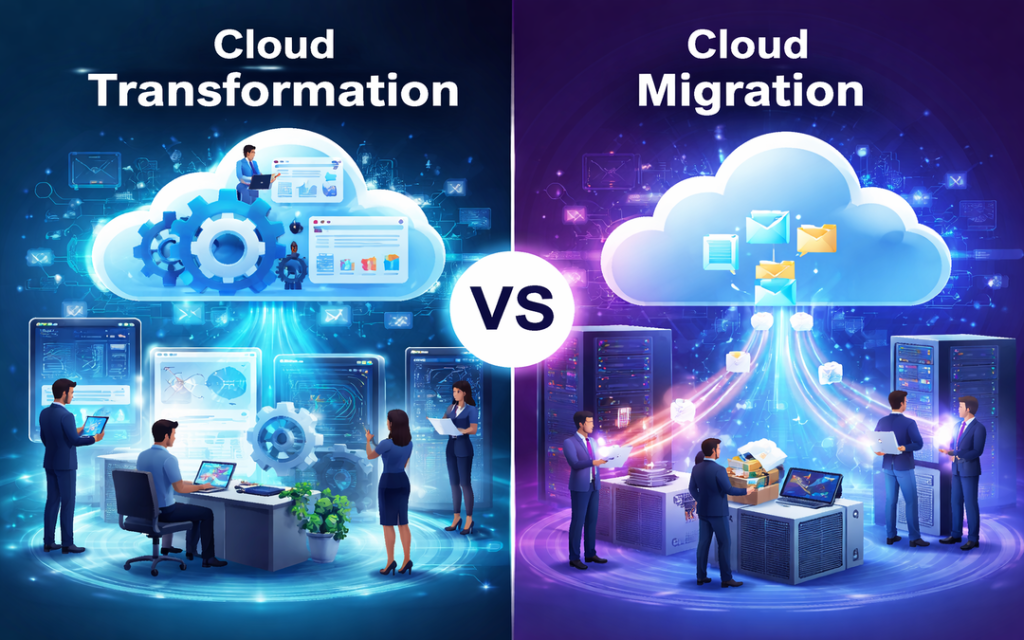
Cloud migration is a process of migrating your existing data, applications and systems from on premise servers to a cloud environment. In maximum cases, this involves shifting workloads with minimum changes. Businesses often select this route as it is fast and less disruptive. The idea is replicating your existing setup in the cloud without any redesigning.

This approach is often referred to as life and shift.

Why Businesses Select Cloud Migration?

  • Rapid transition to cloud infrastructure
  • Low upfront investment
  • Minimum changes to existing systems
  • Instant benefits such as measurability and remote access

Cloud Transformation

ec cloud technology cloud computing 750 1

Cloud transformation takes things a step forward. Rather than simple migrating systems, it focuses on rethinking how such systems work in any cloud environment.

It includes redesigning applications, updating infrastructure and keeping technology and business goals well-aligned. Companies adopt cloud friendly practices like micro services, consistent integration and for complete leverage of cloud abilities. This approach is more planned and long term.

Why Is Cloud Transformation Different?

  • Re-architecting or rebuilding applications
  • Utilizing cloud native technologies
  • Enhancing performance and measurability
  • Allowing innovation and agility
  • Altering workflows and business processes

Cloud transformation is all about evolving your business with the cloud

Key Difference Between Cloud Migration And Cloud Transformation

Even if they are closely associated but the difference lies in intent as well as depth.

Purpose

Cloud migration mainly focuses on moving to the cloud, but cloud transformation focuses on increasing what the cloud can do for your business.

Level of change

Migration includes minimum changes but transformation might need a complete renovation of processes and systems.

Speed

Migration is fast and can be accomplished in a short time. Transformation is slow and consistent.

Cost perspective

Migration is more cost efficient in initial phase. Transformation needs high investment but delivers good long term value.

Impact on business

Migration enhances operational effectiveness. Transformation drives invention, growth and competitive benefits.

When You Should Select Cloud Migration?

Cloud migration is a good option when:

  • You wish to rapidly decrease dependency on physical infrastructure
  • Your existing systems are still efficient
  • You require a low risk entry into the cloud
  • There are limited budget and time

It works well as initial point for organizations who are starting their cloud journey.

When Should You Select Cloud Transformation?

Cloud transformation is good when:

  • Your systems are outdated or difficult to measure
  • You want to enhance performance and user experience
  • Innovation and agility are your main priorities of business
  • You want long term digital growth

It is best choice for companies wanting to stay ahead in a competitive market.

A Practical Approach: Combination Of Both

In real, most of the organizations do not select one over the other both they use both.

A common plan is starting with cloud migration to rapidly move workloads and then slowly adopt cloud transformations practices for optimizing and modernizing those systems.

This phase wise approach decreases risk while allowing long term success.

Speed Up Your Cloud Journey With Right Partner

If you are thinking of moving beyond basic migration and unlock your complete potential of the cloud, getting associated with the right experts can bring in all the difference.

Pexo It Consulting provides special cloud transformation services designed for assisting businesses in modernizing their infrastructure, increase performance and adopt cloud native solutions. Their approach mainly focuses on making measurable, effective and future ready systems customized for your business requirements.

Conclusion

Cloud migration and cloud transformation are not similar – but deeply connected. Migration assists in getting to the cloud rapidly, while transformation assists in using the cloud efficiently.

If you aim for short term effectiveness, migration is great to start with. But you are aiming for long term invention and growth, cloud transformation is where the real value lies.

FAQS

Is cloud migration enough for digital transformation?

Not all time. While migration offers advantages, transformations is required for complete leverage of cloud capabilities.

Can small businesses adopt cloud transformations?

Yes, they can benefit by adopting measurable and cost effective cloud native solutions.

How long does cloud transformations takes?

It relies on system complexity, but usually it’s a consistent process rather than a onetime project.

Do I require to migrate before transforming?

In maximum cases, yes. Migration often acts as an initial step towards a broad transformation strategy.

What is the Difference Between IT Support and Cybersecurity Services?

In a digital-first business environment, technology is deeply embedded in how organizations store data, run their operations, and communicate with customers. Hence, IT Support and Cybersecurity Services have become two services that every business, regardless of size, requires. Although these terms are used side-by-side, they have different goals and offer separate pieces to an organization’s tech puzzle.

The distinctions between IT support and cybersecurity services can help businesses make informed decisions, allocate resources efficiently, and strength their overall IT ecosystem.

What Is IT Support?

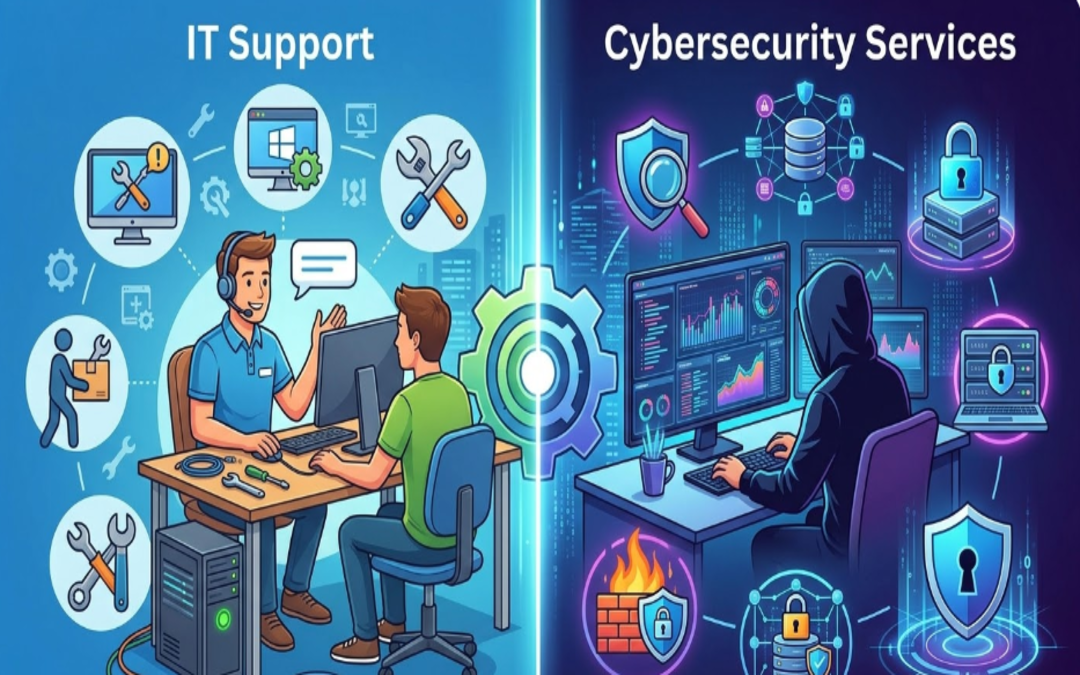
IT support is a variety of services that assist in maintaining and troubleshooting an organization’s technology systems. The main purpose of IT support is to maintain the smooth and effective operation of all hardware, software and networks.

IT support teams take care of daily technical challenges like:

• Repairing software bugs and system mistakes
• Installing and configuring computer systems
• Managing networks and connectivity
• Installing updates and patches
• Providing helpdesk support to employees

These services are vital to help minimize downtime and keep employees productive. That is entirely up to the organization, as IT support can be in-house or outsourced to managed service providers.

What Are Cybersecurity Services?

Cybersecurity services primarily deal with securing an organization’s systems, networks, and data from cyber threats like hacking, malware, phishing or ransomware attacks. The main purpose is to protect sensitive information and restrict unauthorized access.

Cybersecurity is a proactive defensive position that involves:

• Monitoring systems for suspicious activity
• Firewall | Intrusion detection system
• Vulnerability assessment and penetration testing
• Handling encryption and access policies
• Managing and recovering from security incidents

With the increasing sophistication of cyber threats, cybersecurity services are vital in building trust, compliance and ensuring business continuity.

The Key Differences between IT Support and Cybersecurity Services

While IT support and cybersecurity services are closely linked, there are significant focus differences in their approach and responsibilities.

Purpose and Focus

IT support is concerned with the performance of systems, providing solutions to end-user technical problems. It guarantees the functioning and efficacy of all IT systems.

In contrast, cybersecurity aims to safeguard systems and data from various threats. Its purpose is to avert breaches and risk.

Reactive vs. Proactive Approach

IT support is also typically reactive — it clicks in when things go wrong, like a system crash or a connectivity issue.

Cybersecurity is mostly preventative — it finds weaknesses and puts protections in place to stop attacks before they occur.

Scope of Work

Media coverage and the support provided by IT services have evolved, starting from technical aspects to hardware set-up, software installation, and user-related devices.

Cybersecurity services, on the other hand, are more specialized and focused solely on risk management, threat detection, and data protection.

Skill Sets Required

IT Support staff are usually well-versed in system administration, networking, and troubleshooting.

Specialized knowledge is necessary in fields like ethical hacking, encryption, risk assessment, and compliance standards for cybersecurity specialists.

Why Businesses Need Both

IT support and cybersecurity should not be considered mutually exclusive — the two fields work together. An organisation could boast great IT support but no cyber security infrastructure in place, opening itself up to being hacked. On the same vein, robust cybersecurity may result in operational inefficiencies without dependably timed IT assistance.

They work together to provide a balanced and secure IT ecosystem ensuring systems operate seamlessly while safeguarding data.

How to Choose the Right IT Support Partner

However, businesses that want to work smarter while achieving strong protection and ownership should engage a reputable IT service provider. IT services like IT Support by Pexo use not just technical expertise but also proactive management to ensure that systems work together seamlessly. Organizations that utilize professional IT support can expect less downtime, greater productivity, and a solid foundation upon which other elements (such as cybersecurity) can be built.

Why IT Support and Cybersecurity Go Hand in Hand

In a contemporary business, IT support and cybersecurity teams frequently work in close collaboration. For example:

• Those IT support who manage systems regularly ensure that security patches and updates are deployed, assisting in eliminating security vulnerabilities
• Cybersecurity teams define policies implemented by IT support
• Both teams collaborate during incident response and recovery

This partnership assures that enterprises are not merely operational but bolstered from evolving digital threats.

When to Invest in Cybersecurity?

If the businesses facing this issue fall into these categories, they need to prioritize cybersecurity services:

• Manage sensitive customer or financial information
• Operate in regulated industries
• Adopt cloud systems and remote work environments
• Have experienced previous cyber incidents

By investing in cybersecurity from the get-go, a company can avoid costly breaches and protect its reputation.

Conclusion

Though IT support and cyber security services work toward different goals, they are both critical elements of a modern business strategy. IT support keeps the systems up and running, while cybersecurity secures those systems against threats and vulnerabilities.

Grasping the disparity between the two and appreciating their significance enables enterprises to develop a holistic IT strategy that facilitates growth, enhances productivity, and secures critical assets.

What is an IT Managed Service Provider and How Do Managed IT Services Work?

Modern businesses rely heavily on technology to manage operations, store data, communicate with customers, and maintain productivity. As technology continues to evolve, managing IT infrastructure has become more complex. Many organizations struggle to manage networks, cybersecurity, and system maintenance with limited internal resources. To overcome these challenges, businesses often partner with an IT Managed Service Provider (MSP). Managed IT services allow companies to outsource the maintenance and support of their technology systems to skilled professionals.

What is an IT Managed Service Provider?

An IT Managed Services Provider is a unique firm that services and maintains a business’s IT environment continuously. Organizations do not need a full in-house IT department; instead, they rely on MSPs to handle some of the most critical technology projects, including network maintenance, system monitoring, cybersecurity, and technical support.

MSPs act as an IT outsourcing force that maintains a firm’s technology to be secure and reliable. They also apply high-level monitoring equipment and technical knowledge capabilities to diagnose problems likely to cause any problems in advance and fix them before they occur to the business. Such a proactive solution can assist companies not only in preventing costly downtime but also in preserving efficient workflow.

Managed IT Services Exploration.

Managed IT services are the long-term association program between an organization and an IT service provider for the administration of the organization’s technology systems. These services are often offered on a subscription basis, with a monthly plan, so businesses can obtain regular, uninterrupted IT services at a set price.

Conventional IT support is typically based on a break-fix model, where technicians troubleshoot the system. However, managed IT services rely on proactive maintenance and continuous monitoring. This will lower the risks of system failures in the system, and enhance the overall performance of IT.

An average managed IT services package can include:

•      System management, Network monitoring.
•      Threat detection and solutions to cybersecurity.
•      Disaster recovery planning/data backup.
•      Storing and management of cloud infrastructure.
•      Employee assistance.
•      Patch management and software upkeep.
•      Technology planning and IT consulting.

Outsourcing such tasks gives businesses access to a pool of IT professionals who can better operate their technology environment.

How Managed IT Services Work

There are several major factors that define how MSPs provide their services.

Constant monitoring in the system.

Managed service providers have sophisticated monitoring platforms that monitor the performance of networks, servers, and the devices attached to them 24/7. Should any anomaly be noticed in performance or the actual occurrence of any odd activity, the IT team is notified in real time, allowing them to intervene before the matter gets out of control.

Remote Technical Support

Secure management tools can be accessed remotely to solve many IT problems. MSP technicians will be able to enter systems for troubleshooting issues, install updates and carry out maintenance without physically going to the office. This will enable faster responses and more effective problem resolution.

Service Agreements

Service Level Agreements (SLAs) are typically used to control managed IT services. These contracts specify the scope of operations, turnaround time, and anticipated service quality. SLAs help businesses understand what they will receive and the provider’s accountability.

Cybersecurity Management

Managed IT services prioritize security. The various barriers that MSPs deploy to protect against viruses and related threats include firewalls, antivirus applications, endpoint protection, and round-the-clock threat scanning. Such filters can protect companies against cyberattacks such as phishing, ransomware, and unauthorized access.

Regular III Maintenance and Updates.

To ensure systems remain reliable, managed service providers frequently update their software, apply security patches, and upgrade systems to optimize performance. Maintenance of systems helps prevent vulnerabilities and enables efficient technology performance.

How Pexo Helps?

When companies are interested in the expansion of their IT infrastructure and the minimization of difficulties related to technologies, it can be extremely helpful to engage in cooperation with a reliable service provider. Professionals like those at Pexo’s provide proactive IT monitoring, adaptable cybersecurity, and professional technical support tailored to the business. Through collaboration with experienced individuals, organizations can maintain consistent technology systems while focusing on growth, innovation, and customer care.

Conclusion

IT Managed Service Provider assists companies to effectively administering their technology infrastructure through the provision of preventive monitoring, cybersecurity, system upkeep, and technical assistance. Rather than addressing them when they arise, the IT services of managed care are aimed at preventing the issues and ensuring the maintenance of systems. The idea of becoming a managed service provider to businesses seeking cost-effective, enhanced security, and greater reliability in their IT operations is a smart, strategic move.

Frequently Asked Questions

1. What is the activity of a managed service provider?

A managed service provider manages, maintains, and contributes to IT infrastructure of a company, such as networks, security systems, and cloud environments.

2. What are the commonly used methods of pricing managed IT services?

The majority of providers offer managed IT services on a monthly subscription basis, depending on the level of service required.

3. Do small businesses benefit through managed IT services?

Yes, the benefit of small businesses is that they have easy access to professional IT support at a lower cost than maintaining a full internal IT team.

4. Why are managed IT services unlike typical IT support?

Managed IT services focus on preventive checkups and proactive measures, whereas traditional IT support services are primarily concerned with addressing issues as they arise.

The Future of Cybersecurity in 2026: Key Trends Every Business Must Know

With businesses increasing digital, cybersecurity is no longer a mere IT issue; it is a key business priority. The year is 2026, and the world of cybersecurity has undergone significant transformation. Security teams must remain vigilantly initiative-taking to protect their organizations from data breaches, and all types of organizations are target for attack.

The following are the six key cybersecurity trends shaping 2026 that will help your business know what risks to prepare for and how best to approach them with resilient security strategies.

The Disturbance – The Concept of AI-driven Cyber Threats

AI is revolutionizing both ends of cybersecurity. It facilitates the speedy detection of threats but also arms cybercriminals to conduct sophisticated strikes.

Attackers are increasingly using AI in 2026 too:

• Backdoor phishing campaigns with highly tailored messages
• More quickly discover weaknesses in systems
• Evade traditional security detection tools

It means businesses need AI-powered cybersecurity solutions that can recognize anomalous behavior, respond in real time, and learn constantly from new threats.

Zero Trust Architecture Becomes Standard

The old “trust but verify” paradigm is no longer good enough. In 2026, Zero Trust Architecture (ZTA) is now the de facto best cybersecurity practice.

Zero Trust works on the zero-trust model:

• Do Not Trust User or Device by Default
• Continuously verify identity and access
• Control access by role and need

As remote tasks and cloud systems become business as usual, Zero Trust guarantees that only the right users get access to the secure data, reducing the security risks for organizations.

Increased Focus on Cloud Security

As cloud computing remains at the forefront of business operations, no wonder ensuring its safety will be one of the top 2026 IT security trends. Misconfigured cloud settings continue to be one of the top causes of data breaches.

Businesses must focus on:

• Securing cloud infrastructure and applications
• Monitoring access and user activity
• Encryption of sensitive cloud-based data

In a world where more organizations are shifting to multi-cloud and hybrid, being able to get visibility and control across the platforms gains importance.

Growing Threat of Ransomware Attacks

Ransomware is still, at this stage of the game, one of the most harmful cyber threats. By 2026, these attacks will grow sophisticated and targeted.

Cybercriminals are now:

• Attacking essential sectors like health care, finance, and logistics
• Employing double extortion (stealing data prior to encryption)
• Demanding higher ransom payments

It is all too easy for a business to think they cannot at least afford these, when instead they need to be investing in strong backup systems, endpoint protection, and incident response plans to minimize the impact of such attacks.

The Importance of Cybersecurity Awareness

Human error remains a significant risk. Even the best systems can fail if employees are not trained to identify threats.

In 2026, organizations are prioritizing:

• Regular cybersecurity training programs
• Phishing simulation exercises
• Strong password and authentication policies

Of all the things businesses can do, building a culture of security awareness is one of the most effective measures for minimizing cyber risks.

Strengthening Your Cybersecurity Strategy

With cyber threats becoming increasingly sophisticated, businesses must adopt an initiative-taking and holistic approach to security. Enlisting experts has an enormous impact on discovering vulnerabilities and putting the right safeguards in place.

Advanced Cybersecurity Services by Pexo for Modern Enterprises

Professional Cyber Security Services offered by Pexo are essential for organizations aiming to stay proactive and strengthen their cybersecurity posture. Our diverse expertise, ranging from cybersecurity risk assessments to advanced threat monitoring solutions, ensures that you have the right cybersecurity partner to support your business in an ever-evolving threat landscape.

Regulatory Compliance and Data Privacy

Countries across the globe are clamping down on data protection. AQUISITION Since 2026 compliance is not optional, it is necessary.

Businesses must ensure:

• How to manage and store data properly
• Transparent privacy policies
• Regional and global regulatory compliance

Non-compliance carries hefty fines and harm to brand reputation.

IoT Security Risks: New Attack Surface

Internet of Things (IoT) is growing fast and connects devices in various sectors. But every connected device provides a potential gateway for cyberattacks.

In 2026, businesses must:

• Secure all connected devices
• Regularly update firmware and software
• Look for anomalies in network activity

Now IoT security is crucial in the overall CIS strategy.

Conclusion

Cyber Security in 2026: The Future of Cybersecurity in Vision for 2026 As business moves away from reaction to initiative-taking intelligent security.

With the help of AI-powered tools, incorporating Zero Trust models into their security strategy, making sure that their cloud environments are safe and taking an initiative-taking approach to raising employee awareness – organizations can remain one step ahead of cyber risks. Cybersecurity is beyond protection, it is about trust, continuity, and sustainable growth in a digital era.

Frequently Asked Questions (FAQs)

So, what makes cybersecurity more crucial in 2026?

As cyber threats grow more sophisticated and frequent, protecting sensitive data and maintaining operational continuity are critical for any organization.

Explain what Zero Trust is in cybersecurity.

This model, known as Zero Trust, builds on the traditional perimeter model of security by stipulating that all users and systems must be consistently validated before being granted access to sensitive data.

How can businesses defend against ransomware?

Regular data backups, strong endpoint security, employee training, and incident response planning are some business practices that can help mitigate the impact of ransomware attacks.

How is cloud security different from traditional security?

Yes, cloud security guards’ data, applications and services hosted in the cloud which require different tools and strategies thanon-premisessystems.ms.