
What Were the Coolest Consumer Products Showcased at CES 2024?

The annual Consumer Electronics Show (CES) was an exciting one this year. It left us with a mind-blowing glimpse into the future of technology. CES 2024 showcased a smorgasbord of cutting-edge gadgets, including transparent TVs and robot pet buddies. These gadgets promise to revolutionize our homes and the way we interact with the world.

With so much innovation on display, which products truly stood out as the coolest of the cool? Buckle up as we delve into the hottest highlights from CES 2024!

Beyond the Screen: Immersive Entertainment Takes Center Stage

CES is always a hotbed for mind-bending displays, and 2024 was no different. Here are some innovations that will redefine how we experience entertainment:

  • Samsung’s S95D OLED TV: Samsung touts it as the ultimate gaming TV. This device boasts the world’s first 4K 144Hz panel. It’s designed to enable gamers to react faster than ever. It delivers glare protection and has 20% higher brightness than last year’s model.
  • LG’s 4K Transparent OLED TV: Imagine a TV that blends in perfectly with any decor. This futuristic marvel from LG redefines the concept of a home theater. It has a 77-inch UHD transparent OLED display. The customizable design includes shelves of metal frame material. It’s designed to look like furniture, blending beautifully in any home.
  • TCL’s Mini LED TVs: TCL introduced the “world’s largest” mini LED TV. The 115-inch device is designed to exceed the highest performance standards. It has 20,000 Local Dimming Zones to bring otherworldly depth and detail.

These are just a taste of the mind-blowing display advancements showcased at CES. With each iteration, TVs are evolving into immersive portals for entertainment. They’re increasingly blurring the lines between reality and the digital world.

The Wellness Revolution: Gadgets for a Healthier, Happier You

CES isn’t just about entertainment. It’s also about harnessing technology to improve our well-being. Here are some health and fitness gadgets that caught our eye:

  • Evie Ring: This sleek, non-invasive ring is a game-changer for women’s health tracking. It monitors a wide range of important data, including sleep patterns, heart rate, blood oxygen levels, and menstrual cycles. The Evie Ring provides women with a holistic picture of their health. Plus, it looks great too!
  • BMind Smart Mirror: Get ready to transform your bathroom into a personalized sanctuary. This AI-powered mirror attunes to your energy levels. It responds through lights, sound, and display. It’s the first smart mirror to incorporate cutting-edge AI. It can interpret expressions, gestures, and language. BMind even has an AI-driven virtual mindfulness coach.
  • LIPCURE BEAM: Amorepacific touts this as the world’s first beauty tech. It offers personalized lip and makeup care. Sensors incorporated in the tool offer lip-related diagnosis and treatment. LIPCURE BEAM reacts to a specialized light spectrum. It can fortify collagen fibers in lips as well as establish moisture barriers.

These are just a few of the exciting advancements in wellness tech showcased at CES. The exciting products also included non-invasive health trackers and interactive workout experiences. CES 2024 highlights how technology is becoming part of achieving a healthier lifestyle.

The Future is Here: Unveiling the Unexpected

CES also throws some curveballs. This includes showcasing innovative concepts that push the boundaries of technology. Here are a couple of “out there” products that generated a lot of buzz:

  • Samsung’s Self-Driving-based Home Buddy: Move over, Roomba! Samsung unveiled a Self-Driving-based Projection System. It is the soul of the Home Buddy robot projector. It enables Home Buddy to move about a home and cast projections of videos, apps, etc., on suitable surfaces. This technology hints at the future, where robots become integrated helpers in our daily lives.
  • Mymanu CLIK Pro Immersive Translation Earbuds: Ever wanted to speak another language? Mymanu’s CLICK earbuds put powerful translation capabilities in your ears. It enables users to communicate in over 50 languages. It offers an immersive experience to break down language barriers.
  • ORo Dog Companion: Why should humans have all the robotic fun? Ogmen Robotics introduced ORo, an autonomous robot to keep your pets company. It can play, deliver treats, and even has a medication dispenser. ORo also integrates with several smart pet accessories. For the owners, it creates video stories for fun social media sharing.

These “out there” concepts may not be hitting store shelves anytime soon. But they showcase the relentless pace of innovation in the tech world.

Need Some Help Securing Your Smart Home?

CES 2024 gave us a glimpse into the future where technology becomes even more integrated into our lives. While smart homes are convenient, they also pose risks, especially when it comes to cybersecurity.

Do you need help ensuring your smart home is safe from hackers? Contact us today to learn how we can help.
GTA Cyber Security: Most common cyber attacks on businesses

n the digital age, businesses in the Greater Toronto Area (GTA) face a myriad of cyber threats that can wreak havoc on their operations, finances, and reputation. From small startups to large enterprises, no organization is immune to the risks posed by cybercriminals who are constantly evolving their tactics to exploit vulnerabilities and gain unauthorized access to sensitive data. In this article, we’ll explore some of the most common cyber attacks targeting businesses in the GTA and discuss strategies to mitigate these risks effectively.

1. Phishing Attacks

Phishing attacks remain one of the most prevalent and insidious threats facing businesses in the GTA. In a phishing attack, cybercriminals impersonate legitimate entities through email, text messages, or social media to deceive employees into divulging sensitive information such as login credentials, financial data, or personal information. These attacks can lead to identity theft, financial fraud, and unauthorized access to corporate networks.

2. Ransomware

Ransomware attacks have become increasingly prevalent in recent years, posing a significant threat to businesses of all sizes in the GTA. In a ransomware attack, cybercriminals deploy malicious software to encrypt files and data on a victim’s computer systems, rendering them inaccessible. The attackers then demand a ransom payment, typically in cryptocurrency, in exchange for decrypting the data. Ransomware attacks can cause severe disruption to business operations and result in significant financial losses if not promptly addressed.

3. DDoS (Distributed Denial of Service) Attacks

DDoS attacks are designed to overwhelm a target’s network or website with a flood of malicious traffic, rendering it inaccessible to legitimate users. These attacks can disrupt online services, causing downtime, loss of revenue, and damage to the organization’s reputation. Businesses in the GTA are increasingly being targeted by DDoS attacks, highlighting the importance of robust cybersecurity measures to mitigate these risks effectively.

4. Insider Threats

While external cyber attacks often dominate headlines, insider threats pose a significant risk to businesses in the GTA as well. Insider threats can come from current or former employees, contractors, or business partners who have authorized access to sensitive data and systems. These individuals may intentionally or unintentionally misuse their privileges to steal data, sabotage systems, or compromise security, posing a serious threat to the organization’s confidentiality, integrity, and availability of data.

5. Credential Stuffing

Credential stuffing attacks involve cybercriminals using automated tools to systematically test stolen or leaked login credentials (such as usernames and passwords) across multiple websites and online services. Many individuals reuse the same credentials across different accounts, making them vulnerable to credential stuffing attacks. Once cybercriminals gain access to an account, they can exploit it for various malicious purposes, including identity theft, fraud, and unauthorized access to sensitive data.

Mitigating Cyber Risks for Businesses

To mitigate the risks posed by these common cyber attacks, businesses in the GTA must adopt a multi-layered approach to cybersecurity. This includes implementing robust security measures such as:

1. Employee Training and Awareness

Educating employees about the dangers of phishing attacks and providing regular training on cybersecurity best practices can help mitigate the risk of falling victim to social engineering tactics.

2. Secure Authentication Methods

Implementing multi-factor authentication (MFA) and strong password policies can help prevent unauthorized access to systems and data, making it harder for cybercriminals to exploit stolen credentials.

3. Security Software and Cybersecurity Solutions

Deploying advanced cybersecurity solutions such as firewalls, antivirus software, intrusion detection systems, and encryption tools can help detect and mitigate various cyber threats, including malware, ransomware, and DDoS attacks.

4. Regular Security Audits and Updates

Conducting regular security audits and patching vulnerabilities promptly can help identify and address weaknesses in the organization’s IT infrastructure before they can be exploited by cybercriminals.

5. Insider Threat Detection and Monitoring

Implementing monitoring tools and access controls can help detect and mitigate insider threats by identifying suspicious behavior and unauthorized access to sensitive data.

Demystifying Managed Service Providers (MSPs) in IT

In today’s fast-paced digital landscape, businesses rely heavily on technology to streamline operations, enhance productivity, and drive growth. However, managing and maintaining complex IT infrastructure can be a daunting task, especially for small to medium-sized enterprises (SMEs) with limited resources and expertise. This is where Managed Service Providers (MSPs) step in to offer comprehensive IT solutions and support tailored to the specific needs of businesses.

So, what exactly is a Managed Service Provider?

At its core, an MSP is a third-party company that proactively manages and assumes responsibility for providing a defined set of IT services to its clients, typically on a subscription basis. These services can encompass a wide range of IT functions, including network and infrastructure management, cybersecurity, cloud computing, data backup and recovery, software deployment and updates, help desk support, and more.

How can an organization benefit from MSP?

One of the key advantages of partnering with an MSP is cost-effectiveness. Instead of hiring and maintaining an in-house IT team, which can be prohibitively expensive for many businesses, outsourcing IT functions to an MSP allows organizations to access a team of skilled professionals at a fraction of the cost. Moreover, MSPs operate on a predictable monthly pricing model, making it easier for businesses to budget and plan their IT expenses.

Beyond cost savings, MSPs also bring a wealth of expertise and experience to the table. By leveraging the latest technologies and best practices, MSPs can help businesses optimize their IT infrastructure for maximum efficiency, reliability, and security. This proactive approach not only minimizes downtime and reduces the risk of cyber threats but also empowers businesses to focus on their core objectives without being bogged down by IT-related issues.

Furthermore, partnering with an MSP enables businesses to scale their IT resources according to their evolving needs. Whether it’s expanding into new markets, onboarding additional employees, or adopting new technologies, MSPs provide the flexibility and scalability required to support business growth seamlessly.

In addition to proactive maintenance and support, MSPs also play a crucial role in ensuring regulatory compliance and data security. With the increasing threat of cyber attacks and data breaches, businesses must prioritize cybersecurity measures to safeguard sensitive information and protect their reputation. MSPs employ advanced security solutions, such as firewalls, antivirus software, intrusion detection systems, and encryption protocols, to mitigate risks and keep data safe from unauthorized access.

Digital changes in businesses

As businesses continue to embrace digital transformation, the demand for reliable and efficient IT services has never been higher. Whether you’re a small startup or a large enterprise, partnering with a trusted MSP can provide the technical expertise, resources, and peace of mind needed to stay ahead in today’s competitive landscape.

MSP in GTA

If you’re based in the Greater Toronto Area (GTA) and looking for a reputable MSP to support your IT needs, look no further than Pexo. With years of experience and a proven track record of delivering exceptional IT solutions, Pexo is committed to helping businesses thrive in the digital age. From proactive monitoring and maintenance to 24/7 support and strategic consulting, Pexo offers a comprehensive suite of services designed to meet the unique needs of your organization.

Don’t let IT challenges hold your business back. Contact Toronto Managed Service Provider Pexo today to learn how we can empower your organization with reliable, cost-effective IT solutions. Together, let’s unlock your full potential and drive success in the digital era.

10 Most Common Smart Home Issues (and How to Fix Them)

Back when you were a kid, living in a “smart home” probably sounded futuristic. Something out of Back to the Future II or The Jetsons. Well, we don’t yet have flying cars, but we do have video telephones as well as smart refrigerators and voice-activated lights.

But even the most advanced technology can have analog problems. Hackers can get past weak passwords. Bad connections can turn advanced into basic pretty quickly.

Have you run into any issues with your smart home gadgets? Not to worry! We’ve got your back when it comes to troubleshooting several common smart home issues.

Here are some of the most frequent problems along with simple steps to get your smart haven back on track.

1. Connectivity Woes

Are your smart gadgets refusing to connect to Wi-Fi? The main claim to fame of smart devices is that you can access them wirelessly. An internet connection is also vital to integrate several devices into a smart home hub.

If your device is having connection issues, check the basics first. Restart your router and your devices. If that doesn’t work, ensure you’ve positioned your router centrally. This gives you optimal signal strength. Consider a mesh network for large houses. Or invest in a Wi-Fi extender for better coverage.

2. Device Unresponsiveness

Now that we have voice-activated devices, we expect them to always answer. It can be frustrating when a device won’t respond to its “wake word.” We might even raise our voice and ask again… only to be ignored.

Are you having trouble with your smart devices not responding to commands? A simple power cycle (turning them off and on) can often do the trick. Check for software updates on your devices as well as the corresponding apps. Updating software can fix bugs and improve performance.

3. Battery Drain

Smart devices, especially those battery-powered, can drain quickly. Adjust settings to reduce power consumption. Disable features you don’t use, such as notification lights or constant background updates. Consider replacing batteries with high-quality ones for optimal performance.

4. Incompatibility Issues

Not all smart devices are created equal. Just because it says “smart” on the box doesn’t mean it plays well with others. When a new device won’t interact with your network, it can mean money down the drain.

Before you buy, check to ensure your devices are compatible with each other. Build your devices around your smart home platform. Review the manufacturer’s specifications thoroughly to avoid compatibility headaches.

5. Security Concerns

Security is paramount in a smart home. There have been horror stories about hacked baby monitors. These stories can get real very fast. You need to pay attention to securing your devices rather than getting caught up in plugging them in as fast as possible.

Use strong and unique passwords for all your devices and accounts. Enable two-factor authentication wherever available. Keep your devices and apps updated with the latest security patches.

A few other smart device security tips include:

  • Change the default device name on your network. Choose something generic.
  • Put smart devices on a separate “guest” network. This keeps them separated from devices with more sensitive data.
  • Turn off unnecessary sharing features. These are often enabled by default.

6. App Troubles

Are you running into sporadic problems? Bugs that crop up intermittently?

Sometimes, the problem might lie with the app itself. Check if any app updates are available and install them. Try logging out and logging back in to refresh the connection. If issues persist, uninstall and reinstall the app.

7. Automation Gone Wrong

Smart home automations can be convenient, but sometimes they malfunction. Review your automation rules and ensure they’re set up correctly. Test them individually to identify any faulty triggers or actions.

8. Limited Range

Some smart devices have a limited range. Check the manufacturer’s guide so you know what to expect. Move your devices closer to the hub or router for better communication. Consider using repeaters or extenders if the distance is an issue.

9. Ghost Activity

Ever experienced your smart lights turning on or off randomly? This could be due to factors such as:

  • Accidental voice commands
  • Faulty sensors
  • Scheduled automations you forgot about
  • A hacked device

Review your automation settings and disable any you don’t need. Investigate if your devices are picking up unintended voice commands from other sources. Change passwords and watch out for breaches.

10. Feeling Overwhelmed

It’s easy to get overwhelmed when you’re dealing with several smart devices. Don’t hesitate to consult your device manuals and online resources. You can also get help from our IT experts for specific troubleshooting steps. These resources can offer more guidance tailored to your situation.

Need Help Securing Your Smart Home?

A smart home should simplify your life, not complicate it. These simple solutions can help you navigate common issues. It’s also important to get a smart home security assessment to keep your family protected.

Contact us today to schedule a security checkup for your smart home and gain peace of mind.


Featured Image Credit

This article has been republished with permission from The Technology Press.

Beware of Deepfakes! Learn How to Spot the Different Types

Have you ever seen a video of your favorite celebrity saying something outrageous? Then later, you find out it was completely fabricated? Or perhaps you’ve received an urgent email seemingly from your boss. But something felt off.

Welcome to the world of deepfakes. This is a rapidly evolving technology that uses artificial intelligence (AI) to create synthetic media, often in the form of videos or audio recordings. They can appear real but are actually manipulated.

People can use deepfakes for creative purposes, such as satire or entertainment, but their potential for misuse is concerning. Deepfakes have already made it into political campaigns. In 2024, a fake robocall mimicked the voice of a candidate. Scammers wanted to fool people into believing they said something they never said.

Bad actors can use deepfakes to spread misinformation, damage reputations, and even manipulate financial markets. They are also used in phishing attacks. Knowing how to identify different types of deepfakes is crucial in today’s world.

So, what are the different types of deepfakes, and how can you spot them?

Face-Swapping Deepfakes

This is the most common type. Here, the face of one person is seamlessly superimposed onto another’s body in a video. These can be quite convincing, especially with high-quality footage and sophisticated AI algorithms.

Here’s how to spot them:

  • Look for inconsistencies: Pay close attention to lighting, skin tones, and facial expressions. Do they appear natural and consistent throughout the video? Look for subtle glitches, such as hair not moving realistically or slight misalignments around the face and neck.
  • Check the source: Where did you encounter the video? Was it on a reputable news site or a random social media page? Be cautious of unverified sources and unknown channels.
  • Listen closely: Does the voice sound natural? Does it match the person’s typical speech patterns? Incongruences in voice tone, pitch, or accent can be giveaways.

Deepfake Audio

This type involves generating synthetic voice recordings that mimic a specific person’s speech patterns and intonations. Scammers can use these to create fake audio messages and make it seem like someone said something they didn’t.

Here’s how to spot them:

  • Focus on the audio quality: Deepfake audio can sound slightly robotic or unnatural, especially when compared to genuine recordings of the same person. Pay attention to unusual pauses, inconsistent pronunciation, or strange emphasis.
  • Compare the content: Does the content of the audio message align with what the person would say or within the context in which it’s presented? Consider if the content seems out of character or contradicts known facts.
  • Seek verification: Is there any independent evidence to support the claims made? If not, approach it with healthy skepticism.

Text-Based Deepfakes

This is an emerging type of deepfake that uses AI to generate written content, such as social media posts, articles, or emails. They mimic the writing style of a specific person or publication. These can be particularly dangerous as scammers can use them to spread misinformation or impersonate someone online.

Here’s how to spot them:

  • Read critically: Pay attention to the writing style, vocabulary, and tone. Does it match the way the person or publication typically writes? Look for unusual phrasing, grammatical errors, or inconsistencies in tone.
  • Check factual accuracy: Verify the information presented in the text against reliable sources. Don’t rely solely on the content itself for confirmation.
  • Be wary of emotional triggers: Be cautious of content that evokes strong emotions, such as fear, anger, or outrage. Scammers may be using these to manipulate your judgment.

Deepfake Videos with Object Manipulation

This type goes beyond faces and voices. It uses AI to manipulate objects within real video footage, such as changing their appearance or behavior. Bad actors may use this to fabricate events or alter visual evidence.

Here’s how to spot them:

  • Observe physics and movement: Pay attention to how objects move in the video. Does their motion appear natural and consistent with the laws of physics? Look for unnatural movement patterns, sudden changes in object size, or inconsistencies in lighting and shadows.
  • Seek original footage: If possible, try to find the original source of the video footage. This can help you compare it to the manipulated version and identify alterations.

Staying vigilant and applying critical thinking are crucial in the age of deepfakes. Familiarize yourself with the different types, learn to recognize potential red flags, and verify information through reliable sources. These actions will help you become more informed and secure.

Get a Device Security Checkup

Criminals are using deepfakes for phishing. Just by clicking on one, you may have downloaded a virus. A device security checkup can give you peace of mind. We’ll take a look for any potential threats and remove them.

Contact us today to learn more.


This Article has been Republished with Permission from The Technology Press.

Google & Yahoo’s New DMARC Policy Shows Why Businesses Need Email Authentication… Now

Have you been hearing more about email authentication lately? There is a reason for that. It’s the prevalence of phishing as a major security threat. Phishing continues as the main cause of data breaches and security incidents. This has been the case for many years.

A major shift in the email landscape is happening. The reason is to combat phishing scams. Email authentication is becoming a requirement for email service providers. It’s crucial to your online presence and communication to pay attention to this shift.

Google and Yahoo are two of the world’s largest email providers. They have implemented a new DMARC policy that took effect in February 2024. This policy essentially makes email authentication essential. It’s targeted at businesses sending emails through Gmail and Yahoo Mail.

But what’s DMARC, and why is it suddenly so important? Don’t worry, we’ve got you covered. Let’s dive into the world of email authentication. We’ll help you understand why it’s more critical than ever for your business.

The Email Spoofing Problem

Imagine receiving an email seemingly from your bank. It requests urgent action. You click a link, enter your details, and boom – your information is compromised.

The common name for this is email spoofing. It’s where scammers disguise their email addresses. They try to appear as legitimate individuals or organizations. Scammers spoof a business’s email address. Then they email customers and vendors pretending to be that business.

These deceptive tactics can have devastating consequences on companies. These include:

  • Financial losses
  • Reputational damage
  • Data breaches
  • Loss of future business

Unfortunately, email spoofing is a growing problem. It makes email authentication a critical defense measure.

What is Email Authentication?

Email authentication is a way of verifying that your email is legitimate. This includes verifying the server sending the email. It also includes reporting back unauthorized uses of a company domain.

Email authentication uses three key protocols, and each has a specific job:

  • SPF (Sender Policy Framework): Records the IP addresses authorized to send email for a domain.
  • DKIM (DomainKeys Identified Mail): Allows domain owners to digitally “sign” emails, verifying legitimacy.
  • DMARC (Domain-based Message Authentication, Reporting, and Conformance): Gives instructions to a receiving email server. Including, what to do with the results of an SPF and DKIM check. It also alerts domain owners that their domain is being spoofed.

SPF and DKIM are protective steps. DMARC provides information critical to security enforcement. It helps keep scammers from using your domain name in spoofing attempts.

Here’s how it works:

  1. You set up a DMARC record in your domain server settings. This record informs email receivers (like Google and Yahoo). It tells them the IP addresses authorized to send emails on your behalf.
  2. What happens next? Your sent email arrives at the receiver’s mail server. It is looking to see if the email is from an authorized sender.
  3. Based on your DMARC policy, the receiver can take action. This includes delivery, rejection, or quarantine.
  4. You get reporting back from the DMARC authentication. The reports let you know if your business email is being delivered. It also tells you if scammers are spoofing your domain.

Why Google & Yahoo’s New DMARC Policy Matters

Both Google and Yahoo have offered some level of spam filtering. But didn’t strictly enforce DMARC policies. The new DMARC policy raises the bar on email security.

  • Starting in February 2024, the new rule took place. Businesses sending over 5,000 emails daily must have DMARC implemented.
  • Both companies also have policies for those sending fewer emails. These relate to SPF and DKIM authentication.

Look for email authentication requirements to continue. You need to pay attention to ensure the smooth delivery of your business email.

The Benefits of Implementing DMARC:

Implementing DMARC isn’t just about complying with new policies. It offers a range of benefits for your business:

  • Protects your brand reputation: DMARC helps prevent email spoofing scams. These scams could damage your brand image and customer trust.
  • Improves email deliverability: Proper authentication ensures delivery. Your legitimate emails reach recipients’ inboxes instead of spam folders.
  • Provides valuable insights: DMARC reports offer detailed information. They give visibility into how different receivers are handling your emails. As well as help you identify potential issues. They also improve your email security posture.

Taking Action: How to Put DMARC in Place

Implementing DMARC is crucial now. This is especially true considering the rising email security concerns with email spoofing. Here’s how to get started:

  • Understand your DMARC options
  • Consult your IT team or IT security provider
  • Track and adjust regularly

Need Help with Email Authentication & DMARC Monitoring?

DMARC is just one piece of the email security puzzle. It’s important to put email authentication in place. This is one of many security measures required in the modern digital environment. Need help putting these protocols in place? Just let us know.

Contact us today to schedule a chat.

Featured Image Credit

This Article has been Republished with Permission from The Technology Press.

Here Are 5 Data Security Trends to Prepare for in 2024

With cyber threats evolving at an alarming pace, staying ahead of the curve is crucial. It’s a must for safeguarding sensitive information. Data security threats are becoming more sophisticated and prevalent. The landscape must change to keep up. In 2024, we can expect exciting developments alongside persistent challenges.

Over 70% of business professionals say their data privacy efforts are worth it. And that their business receives “significant” or “very significant” benefits from those efforts.

Staying informed about these trends is crucial. This is true whether you’re an individual or a business safeguarding valuable data.

Here are some key areas to watch.

1. The Rise of the Machines: AI and Machine Learning in Security

Artificial intelligence (AI) and machine learning (ML) are no longer futuristic concepts. They are actively shaping the cybersecurity landscape. This year, we’ll likely see a further rise in their application:

  • Enhanced Threat Detection: AI and ML algorithms excel at analyzing massive datasets. This enables them to identify patterns and anomalies that might escape human notice. This translates to a quicker detection of and reaction to potential cyber threats.
  • Predictive Analytics: AI can predict potential vulnerabilities and suggest proactive measures. It does this by analyzing past cyberattacks and security incidents.
  • Automated Response: AI can go beyond detection and analysis. Professionals can program it to automatically isolate compromised systems. As well as block malicious activity and trigger incident response procedures. This saves valuable time and reduces the potential impact of attacks.

AI and ML offer significant benefits. But it’s important to remember they are tools, not magic solutions. Deploying them effectively requires skilled professionals. Experts who can interpret the data and make informed decisions.

2. Battling the Ever-Evolving Threat: Ransomware

Ransomware is malicious software that encrypts data and demands a ransom for decryption. It has been a persistent threat for years. Unfortunately, it’s not going anywhere in 2024. Hackers are constantly refining their tactics, targeting individuals and businesses alike. Here’s what to expect:

  • More Targeted Attacks: Hackers will likely focus on meticulously selecting high-value targets. Such as critical infrastructure or businesses with sensitive data. They do this to maximize their impact and potential payout.
  • Ransomware-as-a-Service (RaaS): This enables those with limited technical expertise to rent ransomware tools. This makes it easier for a wider range of actors to launch attacks.
  • Double Extortion: Besides encrypting data, attackers might steal it beforehand. They then may threaten to leak it publicly if the ransom isn’t paid, adding pressure on victims.

3. Shifting Strategies: Earlier Data Governance and Security Action

Traditionally, companies have deployed data security measures later in the data lifecycle. For example, after data has been stored or analyzed. But a new approach towards earlier action is gaining traction in 2024. This means:

  • Embedding Security Early On: Organizations are no longer waiting until the end. Instead, they will integrate data controls and measures at the start of the data journey. This could involve setting data classification levels. As well as putting in place access restrictions. They will also be defining data retention policies early in the process.
  • Cloud-Centric Security: More organizations are moving towards cloud storage and processing. As they do this, security solutions will be closely integrated with cloud platforms. This ensures consistent security throughout the entire data lifecycle.
  • Compliance Focus: Data privacy regulations like GDPR and CCPA are becoming increasingly stringent. As this happens, companies will need to focus on data governance to ensure compliance.

4. Building a Fortress: Zero Trust Security and Multi-Factor Authentication

We’re in a world where traditional perimeter defenses are constantly breached. This is why the “Zero Trust” approach is gaining prominence. This security model assumes that no user or device is inherently trustworthy. Users and programs need access verification for every interaction. Here’s how it works:

  • Continuous Verification: Every access request will be rigorously scrutinized. This is regardless of its origin (inside or outside the network). Systems base verification on factors like user identity, device, location, and requested resources.
  • Least Privilege Access: Companies grant users the lowest access level needed to perform their tasks. This minimizes the potential damage if hackers compromise their credentials.
  • Multi-Factor Authentication (MFA): MFA adds an important extra layer of security. It requires users to provide extra factors beyond their password.

5. When Things Get Personal: Biometric Data Protection

Biometrics include facial recognition, fingerprints, and voice patterns. They are becoming an increasingly popular form of authentication. But this also raises concerns about the potential for misuse and privacy violations:

  • Secure Storage Is Key: Companies need to store and secure biometric data. This is ideally in encrypted form to prevent unauthorized access or breaches.
  • Strict Regulation: Expect governments to install stricter regulations. These will be around the collection, use, and retention of biometric data. Organizations will need to ensure they adhere to evolving standards. They should also focus on transparency and user consent.

How to Prepare for Evolving Data Security Trends

Feeling a bit overwhelmed? Don’t worry, here are some practical steps you and your organization can take:

  • Stay Informed
  • Invest in Training
  • Review Security Policies
  • Embrace Security Technologies
  • Test Your Systems

Schedule a Data Security Assessment Today!

The data security landscape of 2024 promises to be both intriguing and challenging. We can help you navigate this evolving terrain with confidence.

A data security assessment is a great place to start. Contact us today to schedule yours.

Featured Image Credit

This Article has been Republished with Permission from The Technology Press.

Introducing the New Microsoft Planner (Everything You Need to Know)

Calendars, task lists, and project planning are important business tools. Many people use Microsoft’s apps to power these processes, including Planner, Microsoft To Do, and Project for the web.

These tools help keep processes on track and enable task accountability. But they’re separate apps. Switching between apps can be cumbersome and adds more complexity to a workflow.

On average, employees switch between 22 different apps 350 times per day.

Microsoft is putting a dent in app overload. The company is rolling out a brand-new version of Microsoft Planner in early 2024. It’s packed with exciting features designed to simplify your project management journey.

What apps does the new Planner include?

The new Microsoft Planner combines:

  • The current Planner’s collaboration features
  • The simplicity of Microsoft To Do for task management
  • The capabilities of Microsoft Project for the web
  • The automation of Microsoft Copilot (the company’s AI companion)

The new Planner promises to be a powerful tool for staying organized, boosting collaboration, and achieving your goals with more ease.

Unifying Your Workflow: Tasks, Plans & Projects in One Place

Say goodbye to juggling several apps and hello to a streamlined experience. The new Planner goes beyond basic to-do lists. It seamlessly integrates tasks, plans, and projects under one roof.

This means you can manage everything from large to small, including simple daily tasks to complex multi-phased projects, all within a single, intuitive interface.

Image source: Microsoft

You can use the new Microsoft Planner from within Microsoft Teams or via a web browser. Here are some of the exciting things you will be able to do with it.

Enhanced Collaboration: Working Together Made Easy

Collaboration is key in today’s fast-paced world. Working remotely has become the new normal, meaning tools need to keep people coordinated wherever they are.

The new Planner empowers teams to work together seamlessly. Real-time updates ensure everyone stays on the same page. Features like shared task ownership and comments foster clear communication and efficient collaboration.

AI-Powered Insights: Your Smart Copilot for Success

The new Planner incorporates the power of AI with Microsoft Copilot built in. This intelligent assistant helps you stay on top of your work. It can suggest relevant plans, tasks, and goals based on your needs and context. It can even analyze your progress and suggest adjustments to keep you on track.

Scaling with Your Needs: From Simple Tasks to Enterprise Projects

One size doesn’t fit all. The new Planner understands that. It offers flexibility to cater to both individual needs and complex enterprise projects. Microsoft Planner can adapt to your specific requirements. It’s flexible for use to fill big or small needs, whether you’re managing a personal grocery list or planning and deploying a large-scale company transformation.

Pre-Built Templates: Get Started Fast & Save Time

You don’t have to start from “square 1,” unless you want to. Microsoft Planner provides several ready-made templates to help you get started on a new project or goal quickly.

You’ll see templates for things like:

  • Project Management
  • Software Development
  • Sprint Planning
  • Marketing Campaign
  • Commercial Construction
  • Employee Onboarding
  • and more

Image source: Microsoft

Here’s a sneak peek at some key features of the new Microsoft Planner 2024:

  • Improved Navigation: A redesigned interface makes finding what you need faster and easier.
  • Enhanced Task Views: It has different views, like grid and board views, allowing you to customize how you see and organize your tasks.
  • Microsoft App Integration: Planner integrates with many Microsoft tools, including Power BI, Teams, Microsoft Viva Goals, Power Automate, and more.
  • Customizable Fields: Add custom fields to tasks to capture specific information relevant to your project needs.
  • Goal Setting: Define clear goals and track progress visually within your plans.
  • Critical Path: Identify the essential tasks needed to complete your project on time.
  • Improved Search: Find the information you need quickly and easily with powerful search functionality.

Access and Availability

Mark your calendars! The new Planner will be available in preview in early 2024. It will become generally available soon after. Some features will roll out later in the year. You can visit Microsoft’s site to sign up for updates and see a feature roadmap.

The Future of Tasks, Planning & Project Management

The new Microsoft Planner 2024 is an example of a trend we’ve seen in the digital world: less is more. Meaning, fewer apps to juggle and more streamlined interfaces.

Planner’s powerful features make it an invaluable tool that both individuals and teams alike can leverage to streamline workflows. It also has an intuitive interface and AI-powered assistant to drive productivity.

Get Expert Business Software Support & Management

Managing both legacy and new cloud tools can be complex. Features often go underutilized, and security can be a big problem if it’s not done right. Our team of business software experts is here to help you.

Contact us today to schedule a chat.

Featured Image Credit

This Article has been Republished with Permission from The Technology Press.

9 Signs That Your Smart Home Device Has Been Hacked

Smart home devices are becoming more popular and convenient. But they also pose some serious security risks. Hackers can target these devices to access your personal information, spy on your activities, or cause damage to your home.

Often, the dangers of smart home devices fall under the radar. Seventy-five percent of people feel some level of distrust about the use of their data. Yet most people are willing to use smart home technology.

As we enjoy the convenience of smart living, it’s crucial to be vigilant about cyber threats. A hacker may have compromised your smart system without you even knowing it.

How can you tell if a hacker has compromised your smart home device? Here are some signs to look out for:

1. Unexpected Behavior

Unexpected behavior is the first sign someone has compromised your smart home device. If your device starts acting erratically, it’s time to investigate. Erratic behavior can include:

  • Lights flickering
  • Thermostat settings changing
  • Smart locks behaving unpredictably

Hackers often manipulate smart devices to create disturbances. Noticing these irregularities early can prevent further damage.

2. Unusual Network Traffic

Monitoring your home network is a fundamental aspect of cybersecurity. Have you observed a sudden surge in data usage? Noticed unusual patterns in network traffic? If so, this could indicate unauthorized access.

Hackers may exploit your smart devices to launch attacks or steal sensitive information. Regularly check your router’s activity logs. This helps you stay vigilant against abnormal network behavior.

3. Strange Sounds or Voices

Smart speakers and voice-activated assistants have become commonplace in many households. If you start hearing unfamiliar voices or strange sounds from these devices, it’s a red flag.

Hackers may use compromised devices to eavesdrop or communicate with household members. This poses serious privacy concerns. Ensure that your smart devices are only responding to authorized voices.

4. Device Settings Modification

Smart devices offer customizable settings to cater to individual preferences. Have you noticed unauthorized changes to these settings, such as alterations in camera angles, sensor sensitivity, or device preferences? If so, there’s a high likelihood that a hacker has compromised your device.

Regularly review and update your device settings. This helps you maintain control over your smart home ecosystem.

5. Unexplained Data Transfers

Smart devices often collect and send data to the cloud for analysis or storage. Keep an eye on your device’s data usage. Be wary of unexplained data transfers. Hackers may exploit vulnerabilities to extract sensitive information from your devices.

Regularly review the data usage patterns of your smart devices. This helps you to identify any suspicious activity.

6. Device Inaccessibility

Suddenly finding yourself locked out of your smart home devices could be a sign of hacking. Hackers may change passwords or enable two-factor authentication without your consent. They can take control of your accounts, rendering you unable to access or manage your devices.

Always act promptly to regain control. Secure your accounts if you suspect unauthorized access.

7. New or Unknown Devices on the Network

Regularly review the list of devices connected to your home network. Do you spot unfamiliar or unauthorized devices? If so, it’s a clear sign that someone may have breached your network.

Hackers often connect to your network to exploit vulnerabilities in smart devices or launch attacks. Secure your network with strong passwords. Also, consider implementing network segmentation for added protection.

8. Frequent Software Glitches

Smart devices receive regular software updates that patch vulnerabilities and enhance security. Have you noticed frequent software glitches, or has your device failed to update? It could be a sign of interference by a malicious actor.

Ensure that your smart devices are running the latest firmware. This ensures they have the latest security patches and bug fixes installed.

9. Emails or Messages Confirming Changes You Didn’t Make

Some smart devices send notifications or emails to confirm changes such as settings, passwords, or device access. Did you receive such confirmations for actions you didn’t take? If so, this is a clear sign of unauthorized access.

Take immediate action to secure your account, including changing passwords and reviewing access permissions.

Need Help Securing Your Smart Home & Peace of Mind?

As our homes become smarter, so must our approach to cybersecurity. The first step in safeguarding your digital domain is recognizing signs that a hacker has compromised your smart home device.

Remember, smart home devices can make your life easier and more comfortable, but they also need careful maintenance and protection.

Need some guidance? We can help you ensure that your smart home remains a secure haven of innovation, instead of a vulnerable target for cyber threats.

Contact us today to schedule a smart home security consultation.


Featured Image Credit

This Article has been Republished with Permission from The Technology Press.

Be Careful When Scanning QR Codes – There’s a New Scam Going Around!

QR codes are everywhere these days. You can find them on restaurant menus, flyers, and posters. They’re used both offline and online. QR codes are convenient and easy to use. You just scan them with your smartphone camera. You’re then directed to a link, a coupon, a video, or some other online content.

With the rise in popularity of QR codes comes an unfortunate dark side. Cybercriminals are exploiting this technology for nefarious purposes. Scammers create fake QR codes. They can steal your personal information. They can also infect your device with malware or trick you into paying money.

It’s crucial to exercise caution when scanning QR codes. This emerging scam highlights the potential dangers lurking behind those seemingly innocent squares.

The QR Code Resurgence

QR codes were originally designed for tracking parts in the automotive industry. They have experienced a renaissance in recent years. As a result, they’re used as a form of marketing today.

They offer the convenience of instant access to information. You simply scan a code. They’ve become an integral part of various industries, including retail and hospitality.

Unfortunately, cybercriminals are quick to adapt. A new phishing scam has emerged, exploiting the trust we place in QR codes.

How the Scam Works

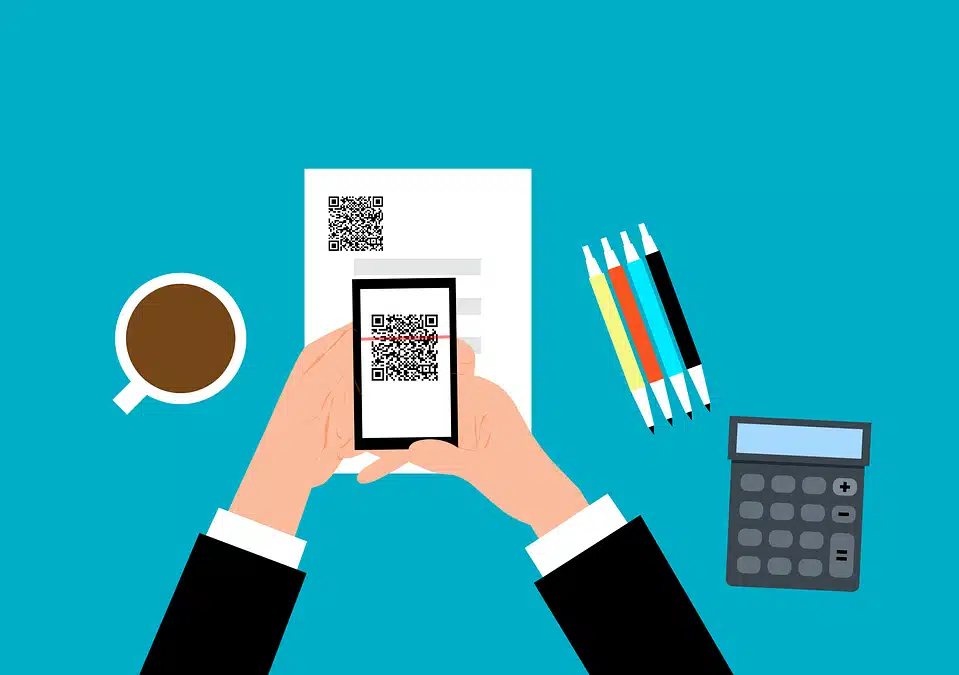
The scammer prints out a fake QR code. They place it over a legitimate one. For example, they might stick it on a poster that advertises a product discount or a movie.

You come along and scan the fake QR code, thinking it’s legitimate. The fake code may direct you to a phishing website. These sites may ask you to enter sensitive data, such as your credit card details, login credentials, or other personal information.

Or scanning the QR code may prompt you to download a malicious app, one that contains malware that can do one or more of the following:

  • Spy on your activity
  • Access your copy/paste history
  • Access your contacts
  • Lock your device until you pay a ransom

The code could also direct you to a payment page that charges you a fee for something supposedly free.

Here are some tactics to watch out for.

Malicious Codes Concealed

Cybercriminals tamper with legitimate QR codes. They often add a fake QR code sticker over a real one. They embed malicious content or redirect users to fraudulent websites.

Fake Promotions and Contests

Scammers often use QR codes to lure users into fake promotions or contests. When users scan the code, it may direct them to a counterfeit website. The website may prompt them to provide personal information, leading to potential identity theft or financial fraud.

Malware Distribution

Some malicious QR codes start downloads of malware onto the user’s device. This can result in compromised security, including unauthorized access to personal data and potential damage to the device’s functionality.

Stay Vigilant: Tips for Safe QR Code Scanning

Verify the Source

Be cautious when scanning QR codes from unknown or untrusted sources. Verify the legitimacy of the code and its source, especially if it prompts you to enter personal information.

Use a QR Code Scanner App

Consider using a dedicated QR code scanner app rather than the default camera app on your device. Some third-party apps provide extra security features, such as code analysis and website reputation checks.

Inspect the URL Before Clicking

Before visiting a website prompted by a QR code, review the URL to ensure it matches the legitimate website of the organization it claims to represent.

Avoid Scanning Suspicious Codes

Trust your instincts. If a QR code looks suspicious, refrain from scanning it. Scammers often rely on users’ curiosity. Be careful when scanning QR codes that you see in public places. Don’t scan them if they look suspicious, damaged, or tampered with. Exercising caution is paramount.

Update Your Device and Apps

Keep your device’s operating system and QR code scanning apps up to date. Regular updates often include security patches that protect against known vulnerabilities.

Be Wary of Websites Accessed via QR Code

Don’t enter any personal information on a website that you accessed through a QR code. This includes things like your address, credit card details, login information, etc.

Don’t pay any money or make any donations through a QR code. Only use trusted and secure payment methods.

Contact Us About Phishing Resistant Security Solutions

QR codes can be useful and fun, but they can also be dangerous if you’re not careful. Always scan them with caution. Protect yourself from scammers who want to take advantage of your curiosity.

This scam falls under the umbrella of phishing. Phishing is one of the most dangerous modern risks for individuals and organizations. If you need help ensuring your devices are phishing resistant, just let us know.

Contact us today to learn more.


Featured Image Credit: Link

This article has been republished with permission from The Technology Press.